
Warden
2 Hours Ago
6 MB
1.0.2
Android 5.0+
1M+
Images
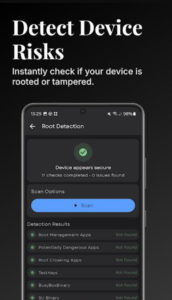
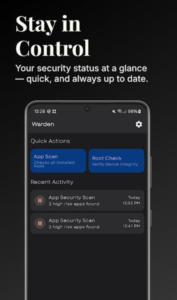
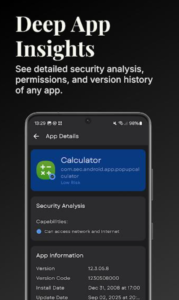
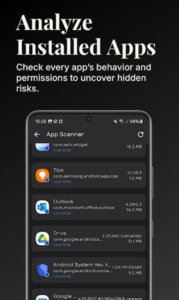
Description
Looking for a reliable way to protect your privacy and manage unwanted trackers on Android? Warden APK offers powerful tools for detecting hidden surveillance components and removing bloatware. This detailed guide covers everything about this open-source privacy utility.
What is Warden APK?
Warden APK brings transparency to Android app management through open-source technology. Created by Aurora OSS, this utility helps users identify tracking components hiding within installed applications. The tool scans every app on your device, revealing which ones collect data without clear permission.
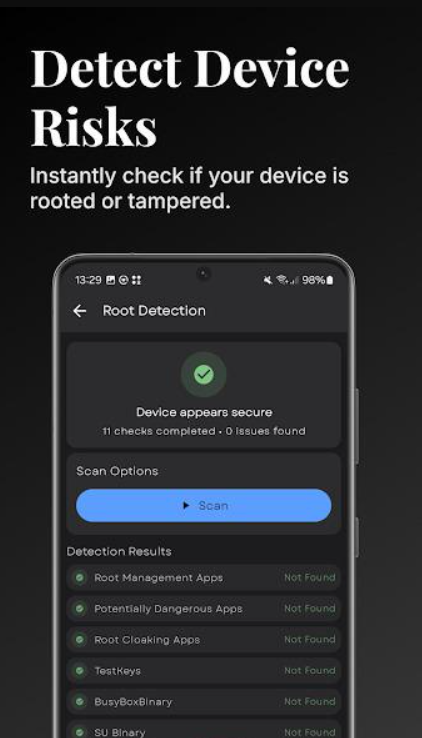
Warden App Download
Unlike commercial security apps requiring subscriptions, Warden operates completely free under GPLv3 licensing. The application focuses on detection rather than real-time monitoring. Users gain insights into surveillance components that many apps include by default.
The approach differs significantly from typical antivirus programs. Warden examines app structures, identifying specific tracking signatures from established databases. This method reveals surveillance tools regardless of whether they’re labeled malicious.
Core Features of Warden APK
Tracker Detection System
Warden uses Exodus Privacy’s curated database for identification purposes. The scanner reads Dex files from each installed application. Class names get extracted and compared against known surveillance signatures. This systematic approach catches both obvious and hidden tracking components.
Results appear within clear, organized lists. Each detected tracker shows its purpose and data collection methods. Users see exactly which companies receive information from specific apps. This transparency helps in making privacy-conscious choices daily.
Logger Identification Tools
Beyond trackers, Warden spots logging utilities throughout your device. These tools record user activity and system events continuously. Some loggers serve debugging purposes legitimately. Others send detailed usage data to developers without explicit consent.
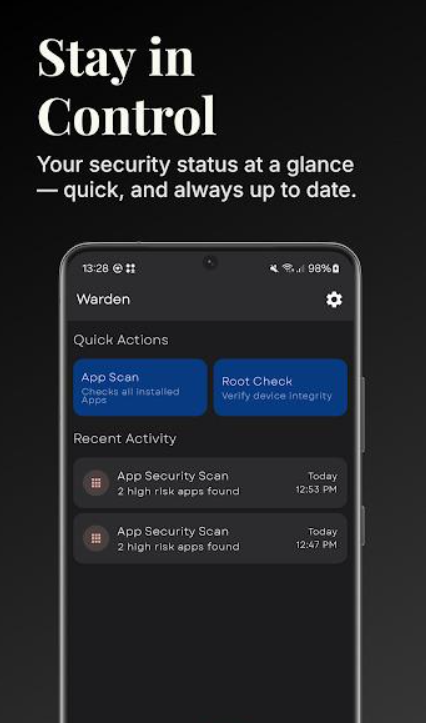
The app distinguishes between helpful logs and invasive monitoring. Tools like ACRA and xLog get flagged for their powerful data transmission capabilities. Users learn which apps actively monitor their behavior patterns. This knowledge proves valuable for privacy-conscious individuals.
Component Management Options
Warden provides detailed views of app components. Activities, services, providers, and receivers all get listed separately. Each component can be examined individually for tracking potential. Users gain technical insights typically hidden from average consumers.
Export functionality lets you save component lists externally. This feature helps when sharing findings or documenting privacy concerns. Technical users appreciate having comprehensive component breakdowns readily available.
Profile-Based Debloating
The debloater accepts custom profiles for removing unwanted software. Profiles get created following specific format guidelines. Users place these scripts in designated folders for recognition. This system allows personalized bloatware removal strategies.
Three action modes support different approaches: disable, uninstall, or hide. Each mode offers specific advantages depending on situations. Disabling preserves apps while preventing execution. Uninstalling frees storage space completely. Hiding keeps apps present but invisible.
Nuke It Function
This experimental feature automatically disables known trackers across all apps. The tool scans your entire device in one operation. Every identified tracking component gets disabled systematically. Results appear quickly after initiating the scan.
Component export remains available after nuking trackers. Users can review exactly what got disabled. This transparency ensures nothing important breaks accidentally. The feature saves considerable time versus manual tracker removal.
Material Design Interface
Beautiful visual design makes navigation straightforward. Screens follow modern Android guidelines consistently. Information appears clearly without overwhelming complexity. The interface balances functionality with aesthetic appeal.
Color schemes remain easy on the eyes. Navigation follows intuitive patterns that users expect. Even technical information gets presented accessibly. This design philosophy makes privacy management less intimidating.
Open Source Philosophy
Complete source code remains available publicly through GitLab. Anyone can examine how Warden operates internally. This transparency builds trust within privacy-conscious communities. No hidden functionality or secret data collection occurs.
The GPL license ensures continued freedom. Other developers can modify and improve Warden legally. Community contributions help enhance features regularly. This collaborative approach benefits all users equally.
Installation Process for Android Devices
- Finding reliable sources matters when downloading privacy tools.
- Avoid random websites claiming modified versions.
- Check file signatures before installing any APK.
- Verified signatures confirm authenticity and safety.
- Enable installation from unknown sources temporarily.
- Navigate to the downloaded APK files through your file manager.
- Tap the installation file to begin setup.
- Android requests confirmation for the installation process.
- Grant necessary permissions during the setup phase.
- Launch Warden once installation completes successfully.
Getting Started with Warden
- Opening Warden presents your device’s app list.
- The interface shows installed applications clearly.
- Tap any app to view detailed information.
- Scanning begins automatically for selected applications.
- Tracker counts appear beside each app name.
- Red indicators show concerning surveillance levels.
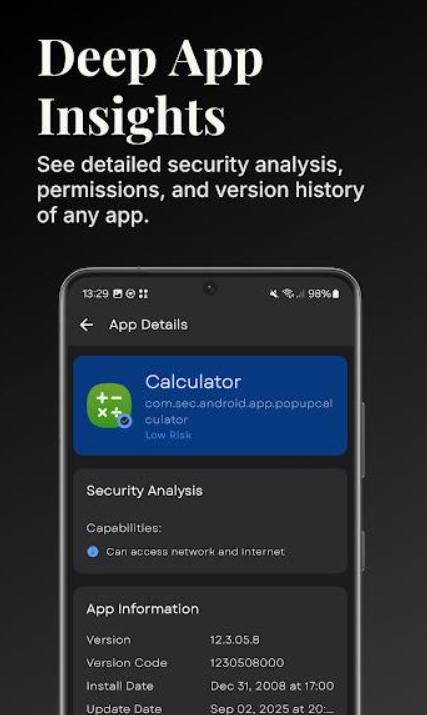
- Green marks suggest minimal tracking presence.
- This visual system simplifies quick assessments.
- Access scanner results through detailed view screens.
- Each tracker gets explained with context.
- Learn what data each component collects.
- Understand why certain trackers exist within apps.
- Explore debloating options after understanding tracker presence.
- Select apps requiring component removal.
- Choose appropriate action modes for your needs.
- Apply changes carefully to avoid breaking functionality.
Practical Usage Strategies
Understanding Tracker Reports
Reading scan results requires some interpretation. High tracker counts don’t automatically mean apps are dangerous. Some trackers serve analytics purposes legitimately. Others exist purely for advertising networks.
Consider the app’s purpose when evaluating results. Social media apps naturally include more tracking. Simple calculator apps shouldn’t need any trackers. Context matters when making decisions about privacy.
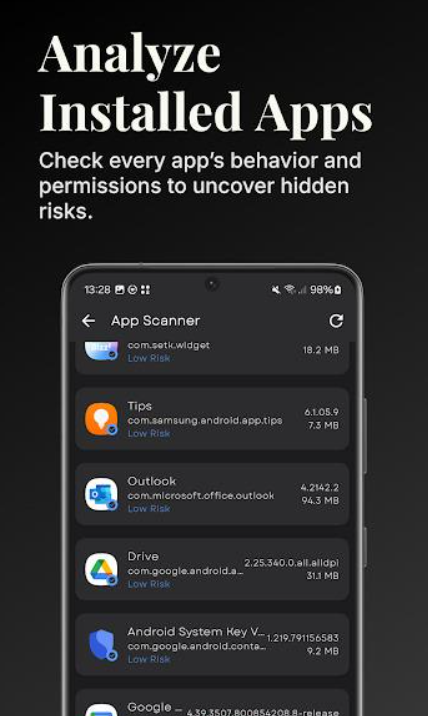
Cross-reference findings with Exodus Privacy’s database. Their website provides additional tracker information. Learn which companies operate specific surveillance tools. This research deepens your privacy awareness.
Safe Debloating Practices
Start with non-essential apps when experimenting. Test debloating effects before applying broadly. Disable components rather than uninstalling initially. This cautious approach prevents accidental problems.
Create backups before major debloating sessions. Document which components get disabled. Keep notes about any issues encountered. This record helps with troubleshooting if problems arise.
Avoid removing system app components carelessly. Some components serve critical functions. Research unfamiliar components before taking action. Community forums often guide specific situations.
Nuke It Considerations
The Nuke It feature offers convenience but requires caution. Disabling all trackers simultaneously sounds appealing. However, some apps might malfunction afterward. Test this feature on non-critical devices first.
Export component lists before nuking trackers. Review what will be disabled beforehand. Understand potential consequences of mass removal. Prepare for possible app behavior changes.
Keep Nuke It limited to four concurrent operations. This limitation prevents system overload. Patience ensures stable operation throughout the process. Rushing through mass changes invites problems.
Strengths and Limitations
Strengths
- Open-source nature ensures complete transparency. No hidden agendas or secret data collection. Community oversight keeps development honest. GPLv3 licensing protects user freedoms perpetually.
- Detection accuracy relies on respected databases. Exodus Privacy provides regularly updated signatures. This foundation ensures reliable tracker identification. False positives remain rare with this approach.
- Material design creates pleasant user experiences. Technical information appears without overwhelming presentation. Navigation feels natural and logical throughout. Even beginners can understand basic functionality.
- Root integration enables powerful management options. Component-level control surpasses typical app permissions. Debloating removes bloatware thoroughly. These capabilities exceed standard Android settings.
- Free availability removes financial barriers completely. Anyone can download and use Warden. No subscriptions or premium tiers exist. This accessibility supports widespread privacy protection.
Limitations
- Root requirements limit accessibility for many users. Debloating and Nuke It need elevated permissions. Average users may lack rooting knowledge. This technical barrier prevents some people from accessing full features.
- Scanner results require interpretation skills. Understanding tracker purposes needs research. Not all trackers are equally concerning. Users must learn to evaluate findings appropriately.
- Debloating carries risks when done carelessly. Breaking app functionality remains possible. System instability might occur with aggressive removal. Cautious users need significant testing time.
- Updates arrive sporadically compared to commercial apps. Development depends on volunteer contributions. New tracker signatures might lag behind releases.
- Interface complexity increases with advanced features. Profile creation requires technical understanding. Script formatting follows specific requirements. Casual users might feel overwhelmed initially.
Privacy Protection Strategies
Identifying Problem Apps
Some apps show dramatically higher tracker counts. These applications deserve special scrutiny. Consider whether their functionality justifies surveillance levels. Alternative apps might offer similar features with better privacy.
Social media platforms typically contain many trackers. This expectation aligns with their business models. However, excessive tracking still warrants concern. Evaluate whether platform benefits outweigh privacy costs.
Gaming apps frequently include advertising trackers. Free games especially rely on ad revenue. Understanding this reality helps set appropriate expectations. Choose paid alternatives when privacy matters most.
Building Privacy Habits
Regular scanning maintains awareness of tracker presence. Schedule monthly reviews of installed applications. New apps get scanned before extensive use. This routine prevents privacy erosion over time.
Research apps before installation when possible. Check Exodus Privacy reports directly. Read privacy policies despite their complexity. Informed decisions begin before downloads occur.
Minimize app installations to essential tools only. Every additional app increases tracking exposure. Question whether each app truly serves necessary purposes. Fewer apps mean fewer privacy concerns.
Community Resources
Join forums discussing Warden and privacy topics. XDA Developers hosts active Warden discussions. F-Droid communities share debloating scripts freely. These groups provide valuable knowledge and support.
Contribute your findings back to communities. Share successful debloating profiles publicly. Help others navigate common problems. Collective knowledge strengthens everyone’s privacy protection.
Follow Aurora OSS development updates regularly. New features get announced through official channels. Bug reports reach developers through proper channels. Active participation improves the Warden for everyone.
User Experiences
- “This app completely changed how I view my installed apps.” — Rahul, India
- “Finally understanding what my apps actually do feels empowering.” — Jessica, Canada
- “The debloater saved so much space on my old phone.” — Mohammed, Egypt
- “Root access makes this tool incredibly powerful for privacy.” — Sofia, Brazil
- “Nuke It feature cleared trackers from my entire device instantly.” — Chen, Taiwan
Final Thoughts
Warden APK stands as an essential privacy tool for informed Android users. Its open-source foundation ensures trustworthy operation without hidden agendas. Tracker detection reveals surveillance many never knew existed. Debloating capabilities remove unwanted bloatware effectively.
The learning curve demands patience and research. Root requirements limit accessibility for some users. However, those willing to invest time gain unprecedented privacy insights. No other free tool provides this level of transparency.
Privacy-conscious individuals find genuine value in Warden. Understanding what apps do behind the scenes proves enlightening. Taking control of tracking components restores device ownership. Download Warden APK and reclaim your Android privacy today.
Frequently Asked Questions
No, Warden operates completely offline after installation. All scanning happens locally on your device.
Scanning features work without root. However, debloating and component management require root permissions.
Monthly scans catch new trackers from app updates. Scan immediately after installing new applications.
Careless debloating might cause malfunctions. Always disable components before uninstalling. Test thoroughly after changes.




