
PlayboxTV
2 Hours Ago
49 MB
6.10.1
Android 5.0+
1M+
Images



Description
If you’re drowning in multiple streaming subscriptions and can’t remember which app has which show, PlayboxTV might solve that headache. This entertainment platform brings together movies, web series, live TV channels, and sports content under one roof, eliminating the need to jump between different applications.
What Is PlayboxTV APK?
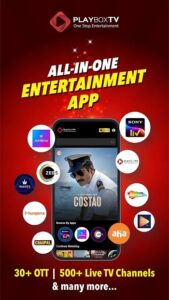
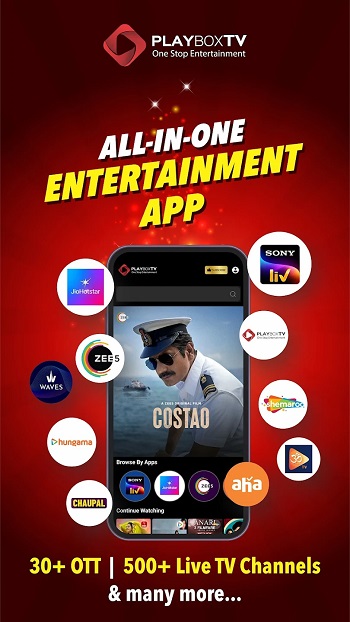
PlayboxTV APK is an OTT aggregator application that consolidates content from over 30 streaming platforms into a single interface. Instead of managing separate subscriptions and logins for Sony LIV, Zee5, Sun NXT, and others, you access everything through one app with one subscription.

The platform works on Android phones, smart TVs, Fire Stick, and iOS devices. You get access to over 100,000 movies and web series, 500+ live TV channels, and exclusive short-form content called PlayShots microdramas. The goal here is straightforward: reduce app clutter while expanding your entertainment options.
Core PlayboxTV Features That Matter
OTT Platform Aggregation
The biggest draw is accessing multiple streaming services without switching apps. PlayboxTV connects you to major OTT platforms, letting you browse their catalogs from a unified search interface.
When you find content you want to watch, the app redirects you to the respective platform for playback. If you haven’t installed that particular OTT app, PlayboxTV prompts you to download it first. This system keeps everything organized while maintaining compatibility with each platform’s requirements.
Content discovery becomes simpler when you’re searching across multiple libraries simultaneously rather than checking each service individually.
Live TV Channels Access
Over 500 live TV channels cover news, sports, entertainment, movies, music, and kids programming. You can watch broadcasts in real-time without needing cable connections or separate TV subscriptions.
Sports fans get access to live cricket matches and other sporting events. News channels keep you updated across different languages and regions. Entertainment channels provide continuous programming for when you want background content or scheduled shows.
Channel selection spans 13+ languages, accommodating viewers across different regions of India and beyond.
PlayShots Original Microdramas
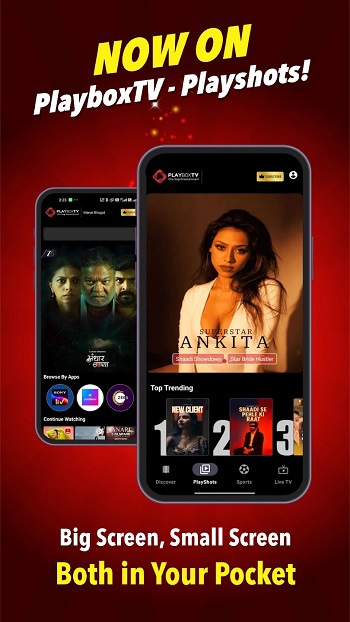
This exclusive feature delivers short-form original content designed for quick viewing sessions. PlayShots microdramas run just a few minutes each, covering romance, comedy, thrillers, and slice-of-life stories.
These aren’t clips from longer shows. They’re complete mini-stories created specifically for people who want entertainment during short breaks.
The microdrama library updates regularly with new content, giving you fresh material beyond what traditional OTT platforms offer.
Personalized Recommendation System
The app learns your viewing preferences over time. Based on what you watch and your language selections, PlayboxTV suggests movies, shows, and channels that match your interests.
This personalization works across all content types. Movie recommendations consider your genre preferences. Channel suggestions reflect the types of broadcasts you typically watch. Even microdrama recommendations adapt to the story styles you enjoy most.
The more you use PlayboxTV, the better it gets at surfacing content you’ll actually want to watch rather than generic popular picks.
PlayboxTV Installation and Setup
Getting Started on Android
Download PlayboxTV from the Google Play Store for standard installation. The app is officially available, so you don’t need to enable unknown sources or hunt for APK files.
Once installed, open the app and log in using your mobile number. The verification process happens through OTP sent to your phone.
After logging in, select your preferred languages. This initial language selection shapes your content recommendations, so pick all languages you’re comfortable watching content in.
Setting Up on Smart TV
PlayboxTV works on Android TV, Fire Stick, and compatible smart TVs. Download the TV version from your device’s app store.
The TV interface adapts for remote control navigation, making it simpler to browse on bigger screens. Login credentials sync across devices, so you can start watching on your phone and continue on your TV later.
Smart TV setup follows similar steps: download, install, log in with your registered mobile number, select languages, and start browsing.
Subscription Activation
Free content exists within PlayboxTV, but accessing premium OTT platforms requires a paid subscription. Browse the subscription plans within the app to see pricing and included services.
One subscription covers your entire family across multiple devices. You won’t need separate logins for each family member or different subscriptions for phone versus TV viewing.
Subscription packages vary based on which OTT platforms you want access to and your preferred subscription duration.
How to Navigate PlayboxTV App
Main Interface Layout
The home screen presents content categories including movies, web series, live TV, sports, and PlayShots microdramas. Horizontal scrolling shows featured content within each category.
Tap any category to dive deeper into that content type. The movies section lets you filter by language, genre, release year, or specific OTT platform. Live TV displays channels organized by category like news, entertainment, or sports.

Search functionality sits prominently at the top. Type a movie name, show title, or actor name to find content across all connected platforms simultaneously.
Content Playback Process
When you select something to watch, PlayboxTV checks whether you have the required OTT app installed. If you do, it opens that app directly to the selected content. If not, you’ll get prompted to install the necessary app first.
This might seem like an extra step compared to direct streaming, but it ensures proper licensing and quality playback through official apps. You benefit from each platform’s streaming technology while enjoying PlayboxTV’s unified discovery system.
Some content streams directly within PlayboxTV without requiring external apps, particularly live TV channels and PlayShots microdramas.
PlayboxTV Content Library Breakdown
Movies and Web Series
The catalog exceeds 100,000 titles spanning Bollywood blockbusters, regional cinema, Hollywood dubbed content, and independent productions. Language options include Hindi, Tamil, Telugu, Malayalam, Kannada, Bengali, Marathi, and more.
New releases appear as different OTT platforms add them to their libraries. You’re not limited to PlayboxTV’s own acquisitions but benefit from the combined release schedules of 30+ streaming services.
Web series range from comedy and drama to thrillers and documentaries. Both completed series and ongoing shows populate the library, with new episodes appearing as they release on source platforms.
Live Sports Streaming
Cricket dominates sports content given the app’s primary market, but coverage extends to other sports as well. Live matches stream through connected sports channels and OTT platforms with sports rights.
Match schedules appear in the sports section, letting you set reminders for upcoming games. Post-match highlights and analysis shows also become available for catching up on action you missed live.
Sports streaming quality depends on your internet connection and the source platform’s capabilities. HD streaming works smoothly on good connections.
Benefits of Using PlayboxTV
Single Subscription Convenience
Instead of juggling multiple streaming service subscriptions, you manage one PlayboxTV subscription that unlocks access to numerous platforms. This consolidation saves money compared to subscribing to each service individually.
Billing happens in one place. You see one charge instead of tracking multiple recurring payments across different apps and renewal dates.
Family members can watch different content simultaneously across devices without needing separate accounts or additional subscription fees.
Unified Search Across Platforms
Finding specific content becomes dramatically easier when you search once instead of opening each streaming app individually. PlayboxTV’s search covers all connected platforms simultaneously.
Looking for a specific actor’s movies? The search returns results from every available platform where their films exist. Searching for a show title immediately shows which service streams it.
This saves considerable time compared to the traditional approach of checking each app separately and often forgetting which service has what content.
Device Flexibility
Watch on your phone during commutes, switch to tablet for kitchen viewing, or enjoy on your smart TV for family movie night. Your subscription and viewing history sync across all devices.
Starting content on one device and continuing on another works smoothly. Pause a show on your phone and resume exactly where you left off on your TV later.
This cross-device functionality matches what you’d expect from individual streaming services but extends across your entire content library.
PlayboxTV Performance Considerations
Internet Connection Requirements
Streaming requires stable internet connectivity. HD quality streaming demands higher bandwidth than standard definition. Your connection speed determines maximum video quality and buffering frequency.
Live TV and sports streaming are particularly sensitive to connection stability since they happen in real-time. Movie and web series playback offers more flexibility with buffering.
Wi-Fi connections generally provide better streaming experiences than mobile data, though 4G and 5G networks can handle HD streaming if signal strength is good.
App Performance and Storage
The PlayboxTV app itself has modest storage requirements. However, connected OTT apps consume additional space if you install them on your device.
App performance depends on your device specifications. Modern Android phones and smart TVs handle the app smoothly. Older devices might experience occasional lag when loading content libraries or switching between sections.
Regular updates keep the app running efficiently and add new features or platform integrations over time.
PlayboxTV Compared to Direct OTT Subscriptions
Cost Comparison
Subscribing to Sony LIV, Zee5, Sun NXT, and other platforms individually costs significantly more than a single PlayboxTV subscription that includes them all. The savings become substantial if you regularly watch content from multiple services.
However, if you only watch content from one or two specific platforms, direct subscriptions to just those services might cost less than PlayboxTV’s comprehensive package.
Calculate your actual viewing habits across different platforms to determine whether aggregation saves money in your situation.
User Experience Differences
PlayboxTV adds a discovery layer that individual apps don’t provide. Cross-platform search and unified recommendations enhance content discovery significantly.
Some users prefer the deeper integration and platform-specific features that direct apps offer. Original apps sometimes include exclusive features or earlier access to new content.
The trade-off involves convenience versus platform-specific optimization. PlayboxTV wins on convenience while individual apps might offer slightly more refined experiences within their ecosystems.
Who Benefits Most from PlayboxTV
Families with Diverse Viewing Preferences
When different family members enjoy content from various platforms, PlayboxTV makes perfect sense. Kids watching cartoons, parents following web series, and grandparents enjoying regional content all access their preferences through one subscription.
Multiple simultaneous streams let everyone watch different content at the same time without conflicts or additional costs.
Language diversity within families particularly benefits from the multi-platform approach since different services specialize in different regional content.
Casual Viewers Who Want Options
If you don’t watch streaming content heavily but want access when the mood strikes, paying for multiple subscriptions feels wasteful. PlayboxTV provides broad access without requiring commitment to multiple services.
Browse freely across platforms without worrying about whether you’re getting value from each individual subscription.
The microdrama feature also suits casual viewers who want quick entertainment without committing to full episodes or movies.
Cricket and Sports Fans
Live sports access through one app simplifies following matches across different channels and platforms. Cricket fans especially benefit from consolidated sports coverage.
Sports highlights and analysis shows complement live match streaming, giving you complete coverage in one place.
Potential Drawbacks to Consider
App Installation Requirements
Content playback through external OTT apps means installing and maintaining those additional applications. This creates more storage demands than a single unified streaming app.
Some users find the redirection to external apps disruptive compared to seamless playback within one interface.
Managing updates for multiple apps adds maintenance overhead even though discovery happens centrally through PlayboxTV.
Internet Dependency
No offline download features exist for most content. You need active internet connectivity to stream anything, which limits usage during travel or in areas with poor connectivity.
Data consumption can be significant for regular viewing, particularly at higher quality settings. Mobile data users need to monitor usage carefully.
Regional Content Focus
PlayboxTV primarily targets the Indian market with its OTT partnerships and content library. International users might find limited relevant content compared to region-specific platforms.
Language options heavily favor Indian languages, though Hindi content dominates the library alongside regional language offerings.
Smart Usage Tips for PlayboxTV
Optimize Your Subscription
Review included platforms before subscribing. If you never watch content from certain included services, consider whether the comprehensive package offers better value than subscribing to just your frequently used platforms.
Take advantage of free trial periods if available to test whether the app suits your viewing habits before committing long-term.
Manage Storage Effectively
Install only the external OTT apps you actually use regularly. PlayboxTV shows which app is needed when you select content, so you can install on-demand rather than preemptively installing everything.
Periodically remove apps for services you haven’t used in months to reclaim storage space.
Use Personalization Features
Actively rate content you watch to improve recommendations. The more feedback you provide, the better PlayboxTV becomes at suggesting content matching your preferences.
Update your language preferences if your viewing habits change. Adding or removing languages reshapes recommendations to stay relevant.
Common Questions About PlayboxTV
No. The app requires active internet connectivity for streaming all content. No offline viewing options exist currently.
Yes. One subscription works across all your devices including phones, tablets, smart TVs, and streaming sticks. Login with the same mobile number on each device.
The app connects to 30+ platforms including Sony LIV, Zee5, Sun NXT, Hungama Play, and others. The exact list may vary based on your subscription package and region.
No. PlayboxTV subscription includes access to connected platforms. You don’t need individual subscriptions to those services separately.
Yes. PlayboxTV works on iPhone, iPad, and Apple TV in addition to Android devices and smart TVs.




